 Sauror AI
Prompts and visibility
In Sauror AI, a prompt is a question your buyers ask AI assistants, tracked over time to see how often the answers name your brand.
The "Prompts" list
Track includes 25 prompts. You can add them yourself, or Sauror creates them for you.
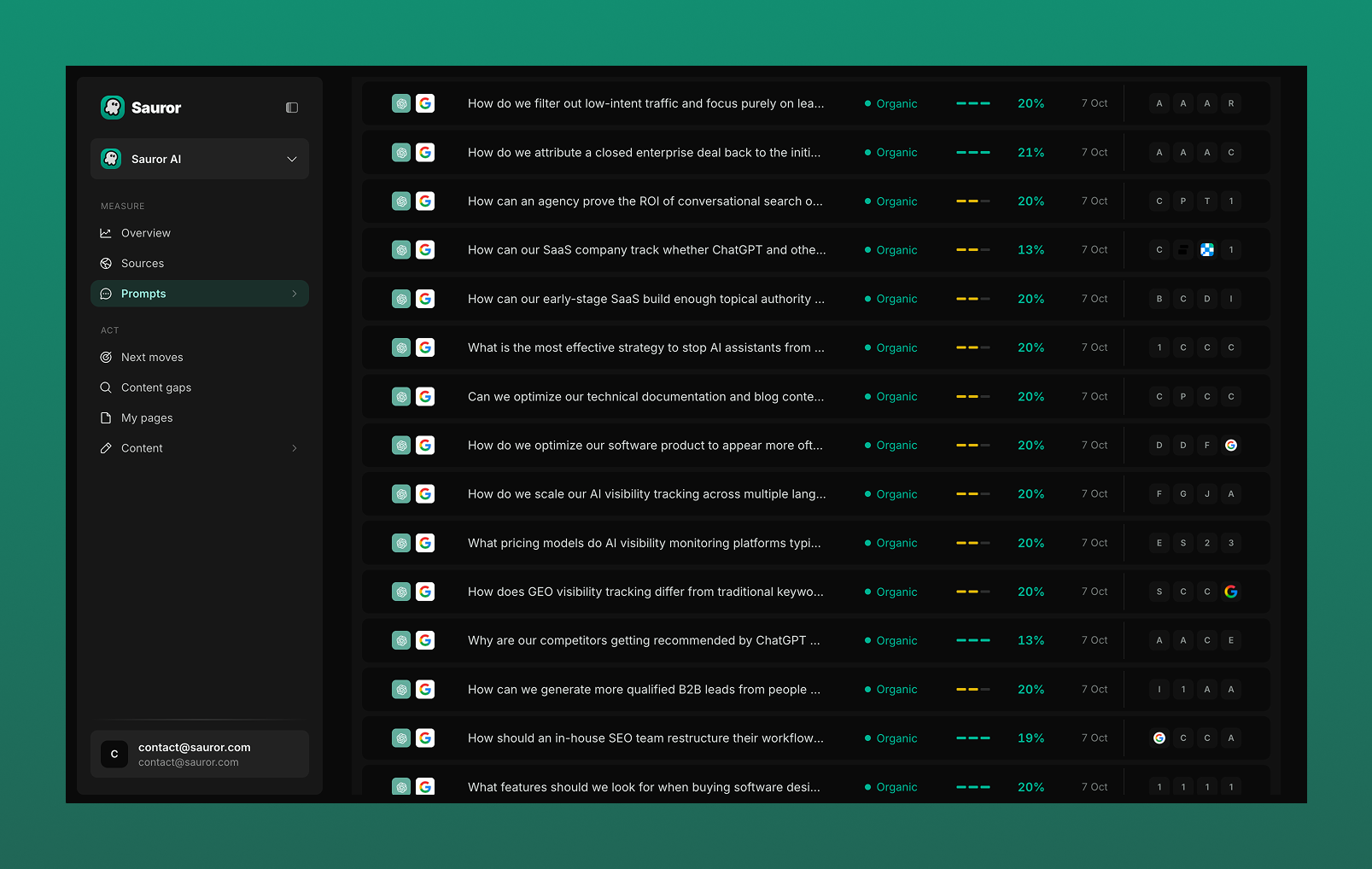
The "Prompts" screen lists your tracked questions. For each one it shows:
- the assistants it is asked on;
- its type, for example "Organic";
- the mention %: the share of answers that name you;
- the last asked date;
- the brands named in the answers.
A prompt's detail
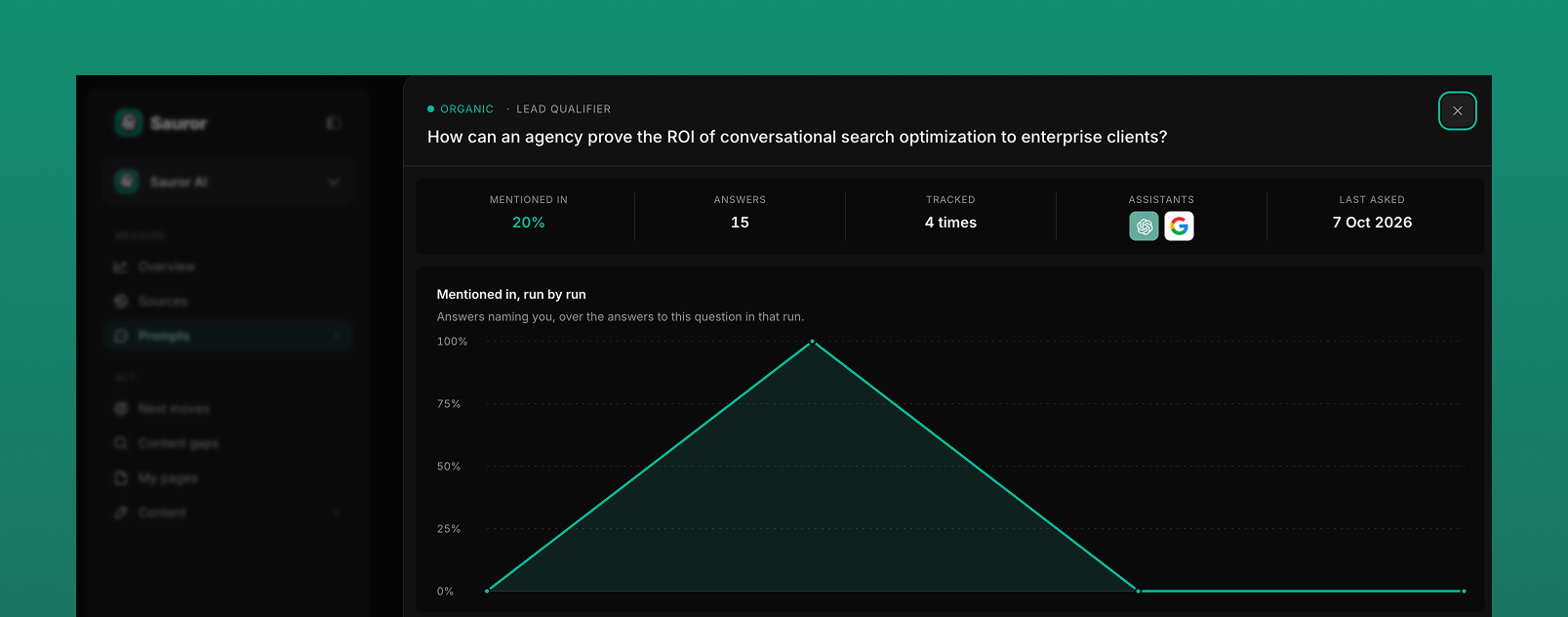
Click a prompt to open its detail:
- "Mentioned in": the % of answers that name you.
- "Answers": the number of answers collected.
- "Tracked": how many times the question has been asked.
- "Assistants": the assistants it is asked on.
- "Last asked": the date of the last run.
- "Mentioned in, run by run": a chart of the answers naming you, over the answers to this question in that run.
- "Named alongside you": the brands the assistants name for this question.
Questions
- What is a prompt in Sauror AI?
- A prompt is a question your buyers ask AI assistants. Sauror AI asks it on a regular basis and records which brands the answers name.
- What does the mention % mean?
- It is the share of answers to that question that name your brand.
- Can I see the results of each run?
- Yes. The prompt detail has a "Mentioned in, run by run" chart.
- Can I see which competitors are named for a question?
- Yes. The prompt list shows the brands named, and the prompt detail has a "Named alongside you" section.