 Sauror AI
Cited sources and next moves
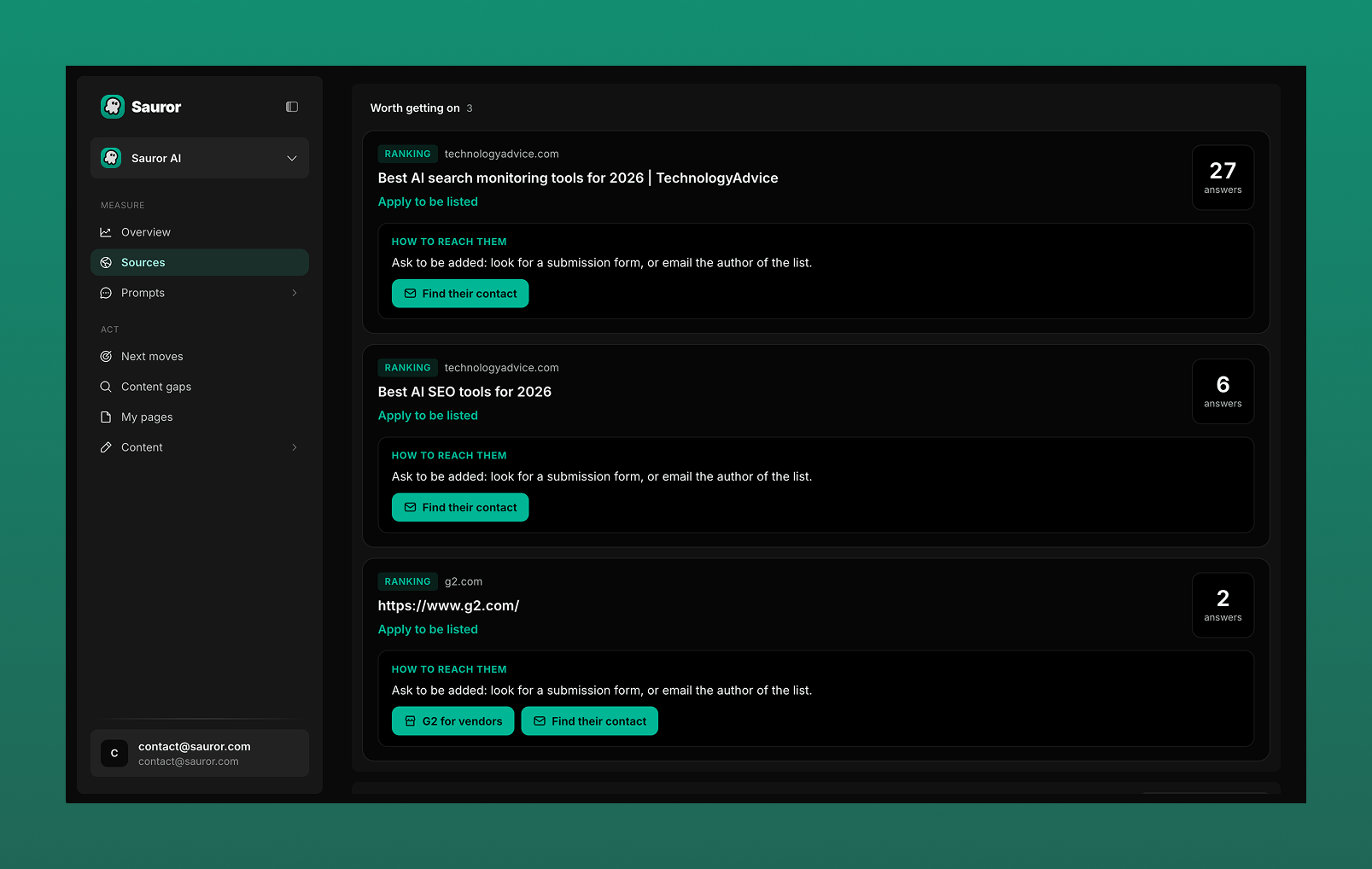
The "Sources" screen in Sauror AI lists the web pages AI assistants cite in their answers, with the number of answers citing each page and how to get on it.
"Worth getting on"
The pages AI assistants cite include rankings, such as "best tools" lists. The "Sources" screen shows the pages worth getting on in a list called "Worth getting on".
For each source:
- its type, for example "RANKING", and its domain;
- the page title;
- the number of answers that cite it;
- "How to reach them": what to do to get on the page.
Possible actions
Example of advice shown: "Ask to be added: look for a submission form, or email the author of the list."
- "Apply to be listed";
- "Find their contact";
- "G2 for vendors", for g2.com.
The Act screens
The "Act" section has four screens:
- "Next moves": the next actions to take to improve your GEO.
- "Content gaps": shows the difference and why a competitor is mentioned and you are not.
- "My pages": analysis of your site pages and how they perform.
- "Content": content creation for GEO.
Questions
- Which sources does Sauror AI show?
- The web pages AI assistants cite in their answers, for example rankings of the best tools in a category.
- How do I know which sources matter most?
- Each source shows the number of answers that cite it.
- How do I get listed on a cited page?
- Under "How to reach them", Sauror AI suggests an action: "Apply to be listed", "Find their contact", or "G2 for vendors" for g2.com.